The problem: one keyboard, too many machines
On a normal day, my work is spread across several computers.
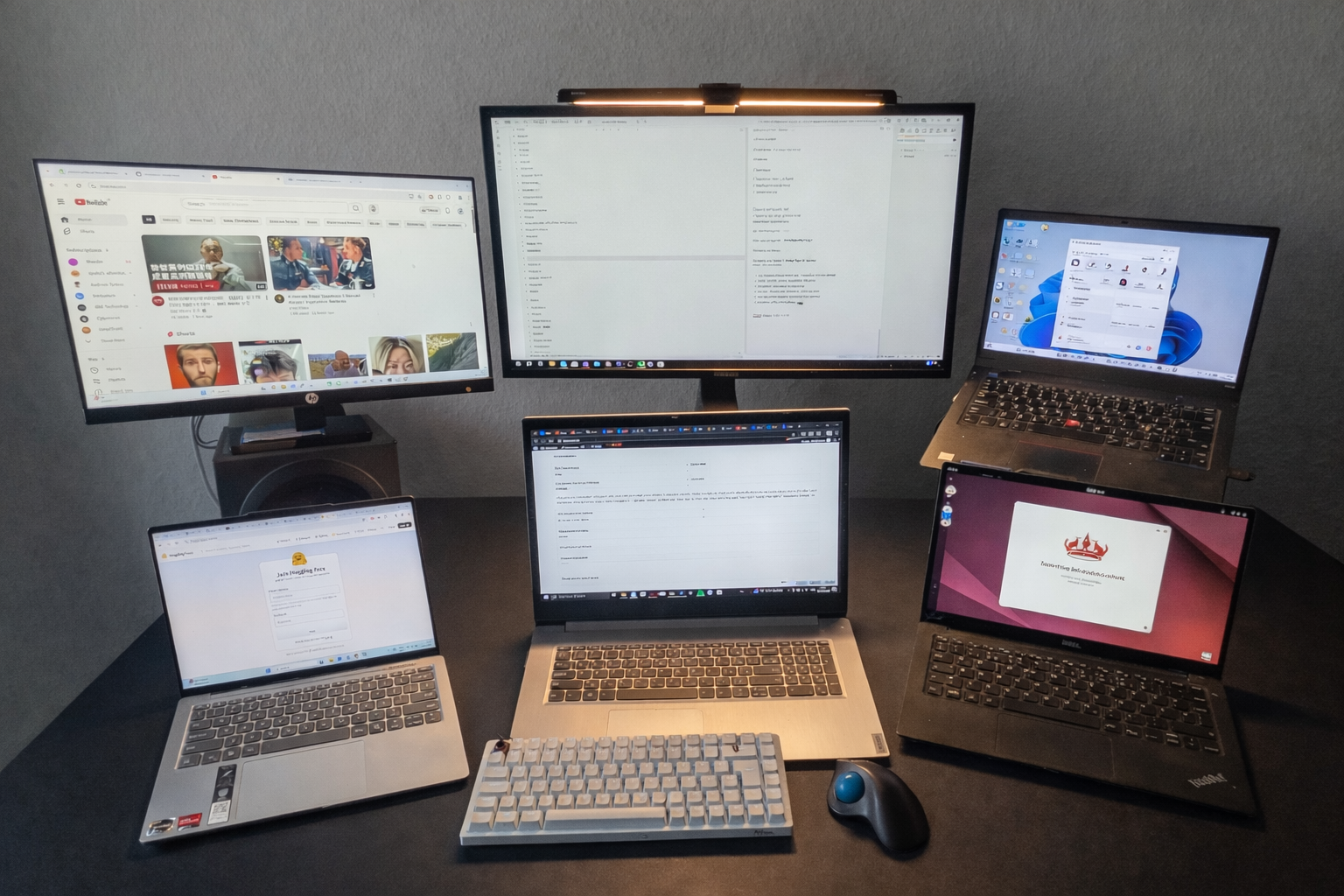
One Windows work laptop, one private laptop, sometimes a portable work machine, plus the occasional test PC. I already use a KVM, so in theory this problem is solved. In practice, it really isn’t.
Most of the time, I don’t need to switch screens at all. I just want to move my keyboard and mouse to another machine, do one quick action, and immediately go back. With a traditional KVM, that simple switch often takes two to three seconds. The keyboard and mouse disconnect, re-enumerate, and only then become usable again.
That delay sounds small, but when you switch dozens or hundreds of times a day, it becomes constant friction.
It gets worse when you scale. Many KVMs are limited to two or four devices, and once you go beyond that, prices rise quickly and setups get messy. Adding “just one more machine” often means replacing the entire KVM instead of extending it.
That frustration is the seed for this project.
Exploring software-first solutions
Before touching hardware, I explored software-based solutions.
Tools like Mouse Without Borders and ShareMouse approach the problem from the opposite direction: they forward keyboard and mouse events over the network instead of switching USB devices.
When everything lines up, these tools are genuinely convenient. They work well within the same network and are fun to use for light, occasional switching.
In daily use, however, I kept running into the same limitations:
- Reliability depends heavily on network conditions.
- It only works across supported operating systems.
- It does not work in BIOS, bootloaders, or early startup stages.
- Linux and mixed-OS setups are not consistently supported.
For light, occasional switching, software can be good enough. For my workflow — multiple machines, multiple operating systems, and frequent context switching — it was not reliable or universal enough to fully replace hardware.
That pushed me back toward a physical solution.
The idea
Instead of translating or emulating input devices on every switch, I started asking a different question:
What if the keyboard and mouse never really “switch” at the USB level?
The core idea is simple in theory:
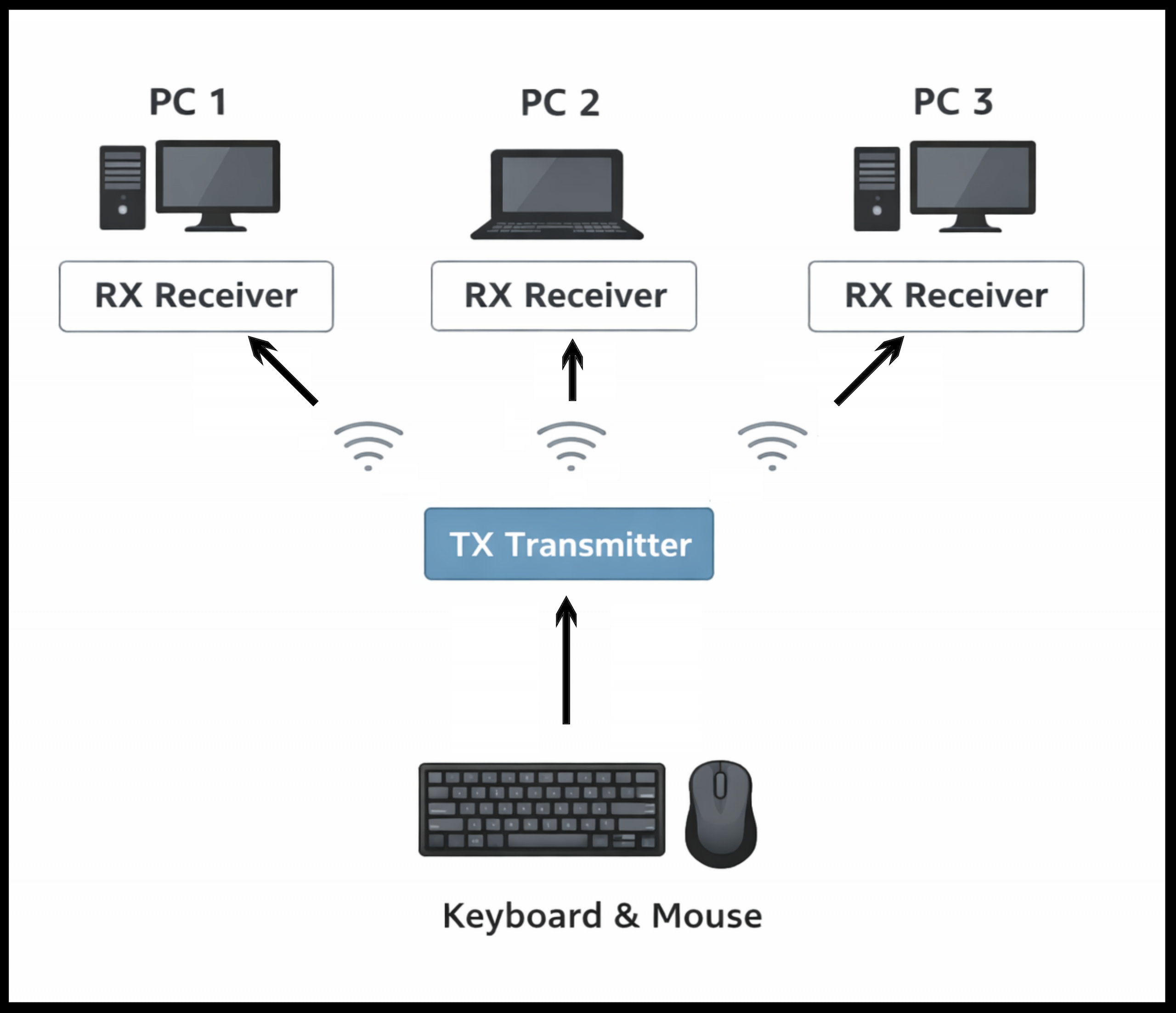
- The transmitter (TX) accepts a normal USB HID keyboard and mouse.
- Whatever HID reports the devices produce are forwarded raw.
- Each receiver (RX) stays permanently enumerated on its target machine.
- Switching does not trigger USB re-enumeration — it is just a routing decision.
In other words, instead of pretending to be a new device every time, each RX always looks like the same keyboard and mouse to its computer. When I want to control a different machine, I simply change which RX is active.
Because the TX forwards raw HID data instead of translating it, multiple receivers can exist at the same time, and scaling becomes a matter of adding small RX units rather than replacing the whole system.
What the final solution should look like
This is the direction I am aiming for:
- Raw USB HID reports pass through unchanged.
- Switching feels instant because receivers stay enumerated.
- Scaling stays cheap: one small RX per additional machine.
- Works across Windows, macOS, Linux — and ideally even in BIOS/UEFI where possible.
The goal is not to replace a full KVM with video switching, but to solve one very specific problem extremely well: fast, seamless keyboard and mouse switching across many machines.
Why a slow launch
I am intentionally taking this public slowly.
This is a pretotype, not a finished product. I want to show the real process: constraints, wrong turns, hardware compromises, and the boards that exist today — even if they look rough or unfinished.
Right now, I am testing the shape of the idea:
Does this approach actually solve the problem well enough to justify turning it into a real product?
Next up
Next, I will share:
- The key technical decisions behind the system
- A first working demo
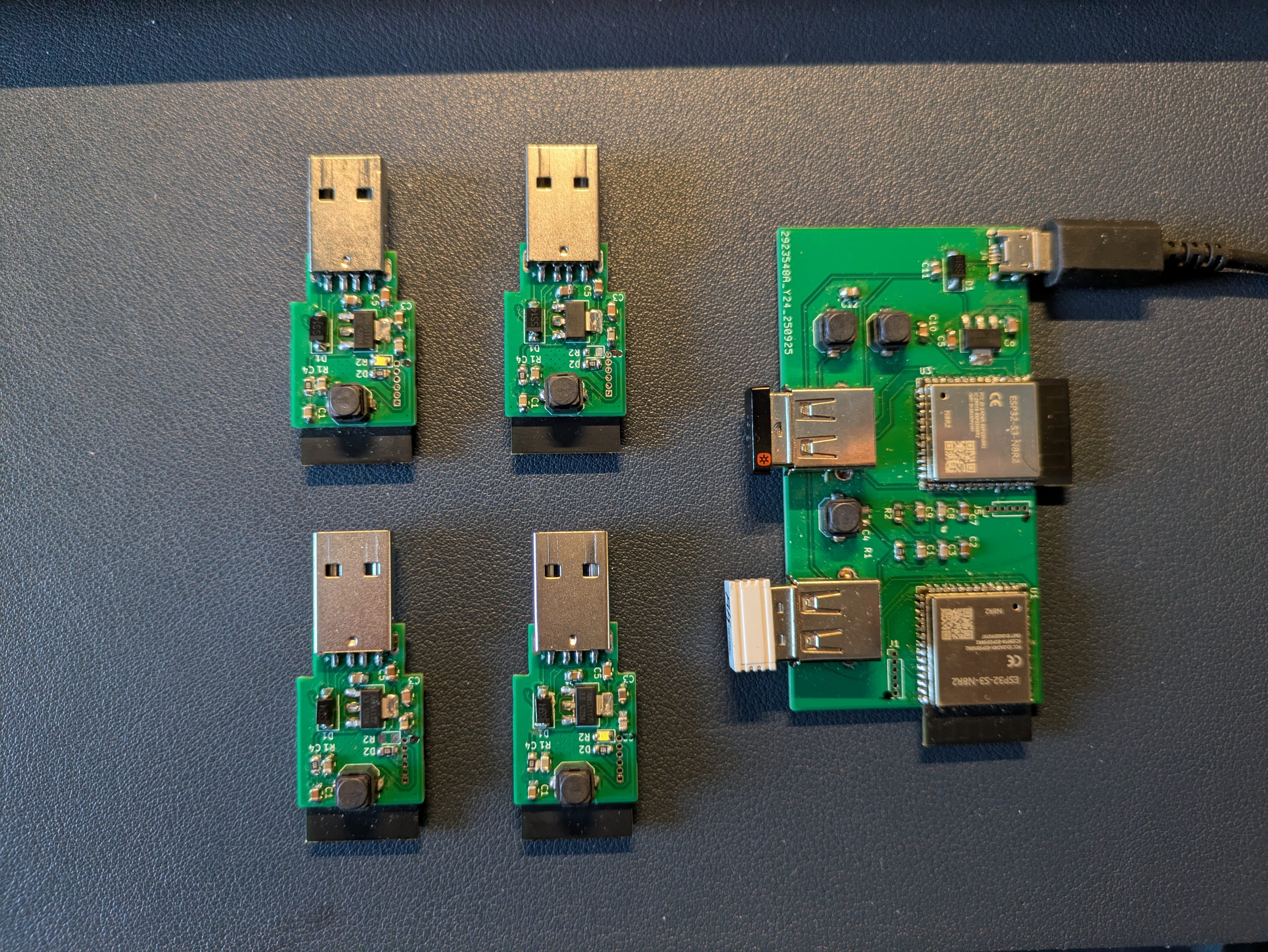
- A snapshot of the current TX/RX hardware stack
This is the start of documenting the journey, not the end result.